
DX Forms 1.1 release makes it even easier for businesses to digitise processes


PhoenixDX is thrilled to unveil DX Forms 1.1, which introduces exciting new features designed to elevate the form-building experience even further. This latest release builds on the initial DX Accelerator solution, which enables business users to quickly build and customise forms without any code. The solution can be integrated with any OutSystems application and has been used by many companies to empower business users to digitise their business.
Release 1.1 expands DX Forms functionality, enhancing the granularity of data collected, streamlining form navigation and empowering users to upload both text and image files effortlessly. Experience a new level of efficiency and versatility with DX Forms 1.1!
Measure responses with greater precision
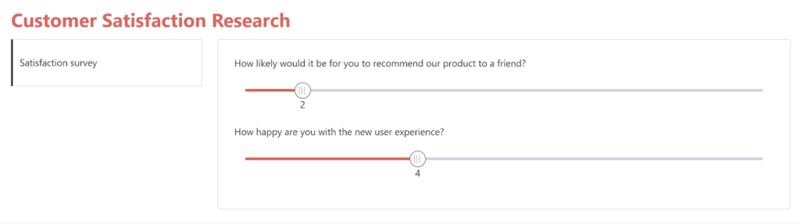
We have introduced a new field type, an interactive range slider, that allows end-users to choose a value within a configurable range. This clever feature allows businesses to enhance the granularity of the information they collect. Use it, for instance, to collect quantitative feedback in a scale within a configurable range.
Deliver a better experience for end-users
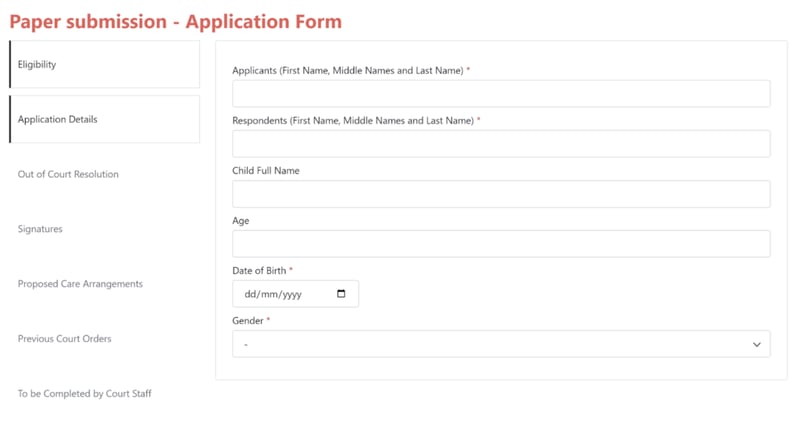
The new field grouping capability allows form administrators to segment form fields under tabs, enabling them to structure their fields more clearly. This new feature makes it much easier for end-users to navigate the forms and greatly improves the data capture experience.
Capture additional information through file uploads
It's now possible for end-users to upload files of any format in accordance with permissions set in the form’s rules. Users can leverage the ability to drag and drop files to the form - including pdfs, jpegs, pngs and xls - straight from their desktop.
Provide e-signature capability
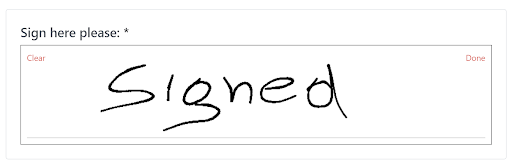
With DX Forms 1.1, end-users now enjoy the flexibility to sign a form with the use of a finger or a stylus pen via their tablet or phone, or via mouse from a desktop. The new e-signature feature provides a secure, and efficient way to get electronic documents signed quickly.
Configure fields more easily
Building forms is even simpler with the introduction of a new feature that enables form administrators to quickly and easily reorder form fields into the desired position via drag and drop. Fine-tune your form with fewer clicks.
Position sections where they make the most sense
DX Forms 1.1 provides greater responsiveness by improving the ability of business users to configure the position of form sections - at the top of the page, as tabs, or on the left-hand side, whichever suits your needs best.
Want to learn more about DX Forms? DX Forms is part of DX Accelerators. Click here to learn more about our pre-built components and deliver business solutions faster.
Share on LinkedIn