1. Continue using the Architecture Canvas
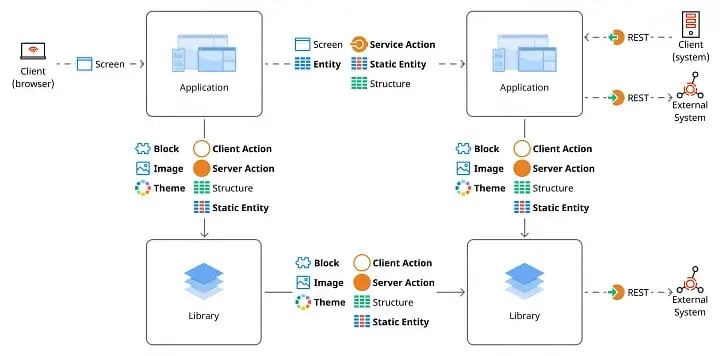
When reading about the main differences between O11 and ODC you might assume that no more modules with everything in one app means you no longer have to split your code into the 3-layer canvas in your new O11 apps. You might think this will make migrating to ODC simpler. But this presumption is misleading.
In fact, discarding the conventional 3-layer canvas structure could potentially complicate the migration to ODC. For a smoother transition, please continue following the Architecture Canvas best practices, which requires you to divide your modules into 3 different layers and continue to keep track of the architecture findings in AI Mentor.
OutSystems will provide tools that will help you merge your O11 modules into a single application.
2. Start using Domain Driven Architecture
If you are unfamiliar with Domain Driven Architecture, we recommend you start familiarising yourself with it as soon as possible. This type of architecture is very much in line with the ODC architecture.
In ODC, different applications communicate with each other using ‘Service Actions’. ‘Service Actions’, unlike ‘Server Actions’, are executed in a different transaction having their own context and scope – they are basically REST API calls that you can easily use on the platform. This means that in ODC you will need to handle your reusable services similar to microservices. If you can start doing this already in O11 by applying a Domain Driven Architecture, it means that your journey to ODC will be halfway there.
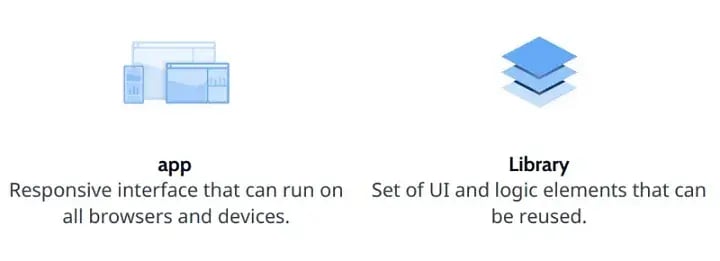
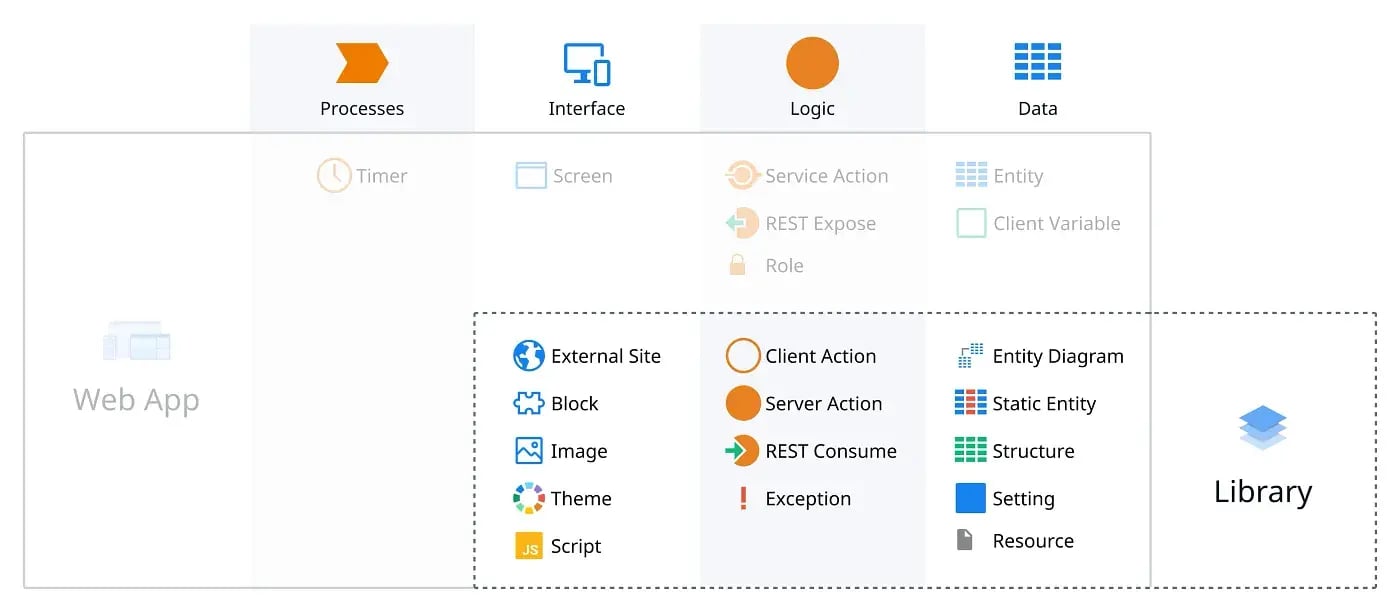
If you successfully define your different domains in O11 based on different sponsors and lifecycles, this means they will likely map to your new applications when using ODC. A very common scenario would see a mobile app and a desktop app sharing a common core app. In this case, you could have 3 different domains on O11: a mobile domain, a desktop domain and a core service domain. In O11, you can still have multiple modules and applications in each domain. But when migrating to ODC, you will probably have 3 Apps, one for each domain, and more than one Library for your common UI elements.
3. Consider reworking your Traditional Web Apps
ODC will not support Traditional Web Applications (TWAs), so if you have these applications, any tools OutSystems provides to help you migrate from O11 to ODC won’t work for you. You will need to transition away from these applications if you wish to use ODC.
If you have TWAs you have two options:
4. Try to keep your technical debt under control
Work to reduce your technical debt as much as possible by using AI Mentor to track your findings. This will ensure that your application follows best practices and you can migrate without any major problems.
5. Consider other integrations protocols besides SOAP
If you still consume or expose SOAP APIs, consider using REST or different protocols. ODC will still allow you to consume SOAP APIs, however, it won’t be as easy as O11. If you go down this path, you will need to use C# extensions with high code. It’s not ideal, but it’s a backup option if absolutely necessary.
Exposing SOAP APIs is not a top priority for ODC going forward, so if you hope to migrate sooner rather than later, focus on changing your SOAP APIs as quickly as possible.
6. Keep an eye on your advanced SQL queries
In O11, you can choose to use SQL Server, Azure SQL Database, Oracle, or DB2 as the database for your applications. However, in ODC, your applications will be required to use AWS Aurora PostgreSQL. While SQL Server and the older options are relational databases, AWS Aurora PostgreSQL is an object-relational database. This means that in ODC you can build SQL queries with complex data types and object inheritance and will inevitably use different syntax. If you use a lot of advanced SQL queries, you may run into some problems, especially if you are using Oracle or DB2.
To help you understand the differences you will face, OutSystems has mapped out O11 queries to ODC.
7. Keep an eye on your custom code extensions and Forge components
Another big difference between O11 and ODC, is the way custom code extensions (.xif) will work.
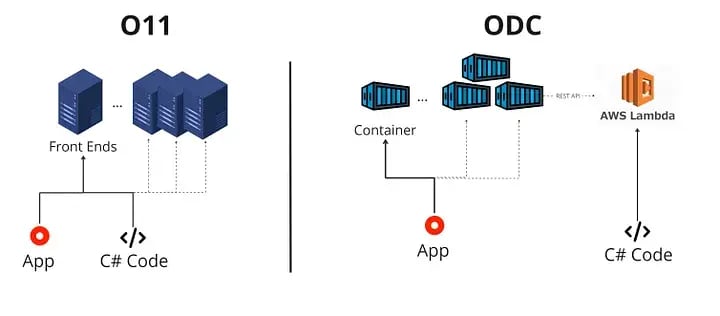
In ODC, all your custom code extensions (like C#) will run using AWS Lambda. This means that your code will run in a serverless service, which will be accessed through a REST API, and not in your application container. In other words, your custom code will follow the principle of FaaS (Function as a Service).
This is different from O11 where your code was hosted and executed directly on the server where your code was also running.