Digital workflows for lease and CAPEX approval processes
The solution sits between the business’s financial modelling system and its ERP system, unifying and streamlining approvals.



Approval of critical capital expenditure projects within the company was held up by an inefficient, manual process that combined Excel spreadsheets, emails, calls, and SharePoint documents. CAPEX paperwork would move from desk to desk, awaiting sign-off at many different stages before being manually entered in their SAP (if the project was given the green light). If someone in the review or approvals chain were on leave, the whole process would grind to a halt.
This ad hoc approach created many pain points for the property group. The Excel-based application form was difficult to use and often unreliable. Manually entering the forms into their SAP system created significant data integrity issues. In addition, insufficient staff were available to perform SAP data entry, creating indefinite blockages as paperwork sat in in-trays awaiting qualified personnel who could move the process forward.
There was a critical lack of visibility across the existing CAPEX approval workflow, which was managed separately to Anaplan, the business’s financial modelling system. Without real-time reconciliation, project managers had no way of knowing whether their request was within budget or where it was in the workflow (i.e., which desk it was on). Due to the manual nature of their CAPEX approval process and a lack of traceability, the process was complex to audit.
The business needed a new solution that could automate, control and streamline their CAPEX approval workflow and integrate seamlessly with both Anaplan and SAP.

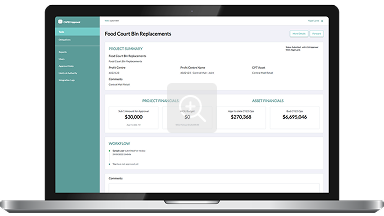
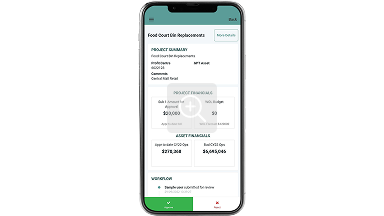
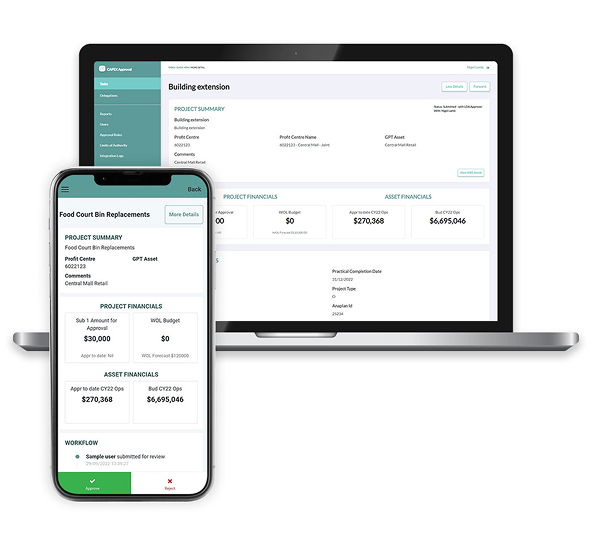
The new CAPEX Workflow application, built with PhoenixDX and OutSystems, was developed in just eight weeks. Available via web and mobile, the app sits between the business’s financial modelling system, Anaplan, and its ERP system, SAP.
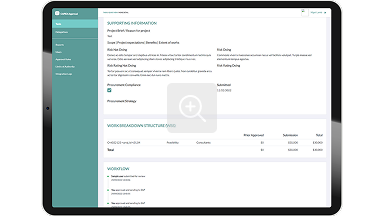
CAPEX submissions are prepared in Anaplan and then automatically submitted to the new workflow application, which controls approvals based on many business parameters, such as department, type and cost. The app sends alerts and can be accessed via mobile. The easy, on-screen visualisation of essential information for analysis and decision-making allows fast execution of CAPEX approvals. Approvers can quickly review, comment and track the process from anywhere, anytime. If a reviewer or approver is on leave, the workflow redirects the submission to the next delegated authority, eliminating blockages. Approved submissions are seamlessly and automatically set up in SAP, and the process can be easily tracked and audited in the application.