
UX-led design empowers security officers to go digital in the field

Digitalising field operations for security officers who had never worked digitally before required a UX-first approach. Deep user research delivered an intuitive solution that makes logging activities quick, easy, and reliable - online or offline.  

  • Clock
    8 months
  • People
    2 developers
Let's Talk
Serco-CaseStudy


clock-fast-red-big

Easy-to-navigate tablet interface lets security officers log activities quickly in the field

interface-shield-red-big

Menus and workflows built around how officers actually work, reducing errors

connect-red-big

A reusable design system ensures consistency across all future applications

quote-icon

Security officers are experts in their field, not technology. Our job was to meet them where they are. By spending time understanding how they actually work, what slows them down, and what they need in the moment, we were able to design something that felt natural from day one. That's what good UX looks like.

UX Specialist
PhoenixDX

About the organisation

Industry: Security

A leading £3 billion global provider of essential public services operating in various industries, employing more than 50,000 people in ANZ, the Asia Pacific, Europe and North America. 

Serco-CaseStudy-1

The challenge

The company relied on an entirely paper-based process to document its operations. Officers were required to manually record their progress on paper every 15 minutes, logging meal breaks, incidents, and delays by hand. At the end of each assignment, the completed paperwork was handed in and managers were left to interpret officers' handwriting as best they could. Extracting data and preparing monthly compliance reports was time-consuming and difficult.

Compounding the challenge, none of the field officers were digital natives. Accustomed to pen and paper, any new solution needed to be simple and intuitive. With operations demanding their full attention, reporting had to be quick and effortless, or it simply wouldn't be done correctly in the field. The company needed an application that would work for the people using it, not the other way around. 

Serco-CaseStudy-2

The solution

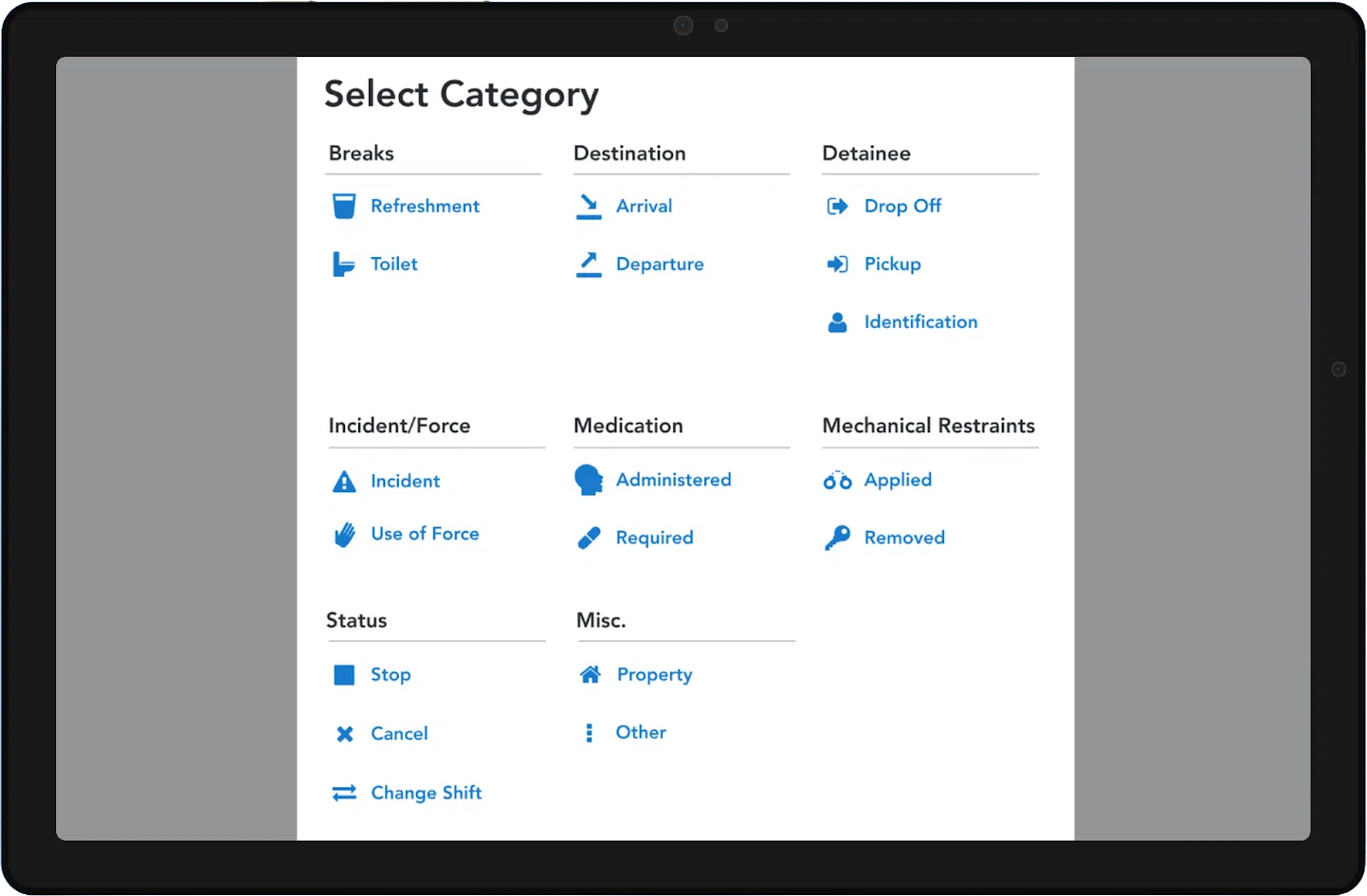
Before a single screen was designed, PhoenixDX's UX team conducted in-depth User Interviews with field officers, exploring their daily tasks, pain points, and what a better solution might look like. While officers were ready to leave pen and paper behind, most had little experience with digital tools, and the frustration of handwriting observations quickly and neatly during live operations was evident. In response, our UX Designer built a menu of common observations drawn directly from user feedback, making the task faster and far less error-prone.

Using the Jobs-To-Be-Done model, we mapped the most frequent actions and data inputs across a typical operation. Officers flagged that mandatory 15-minute observation checks were easy to miss, so we built in friendly pop-up notifications to keep them on track without disrupting the operation.

Workshops with business stakeholders and analysts produced a detailed Workflow Diagram covering every activity in the process, ensuring the application's information architecture and logic aligned precisely with how officers actually work.

The engagement concluded with a comprehensive Design System and Live Style Guide: now the single source of truth for the company's current and future digital interfaces.

The results

tick-circle
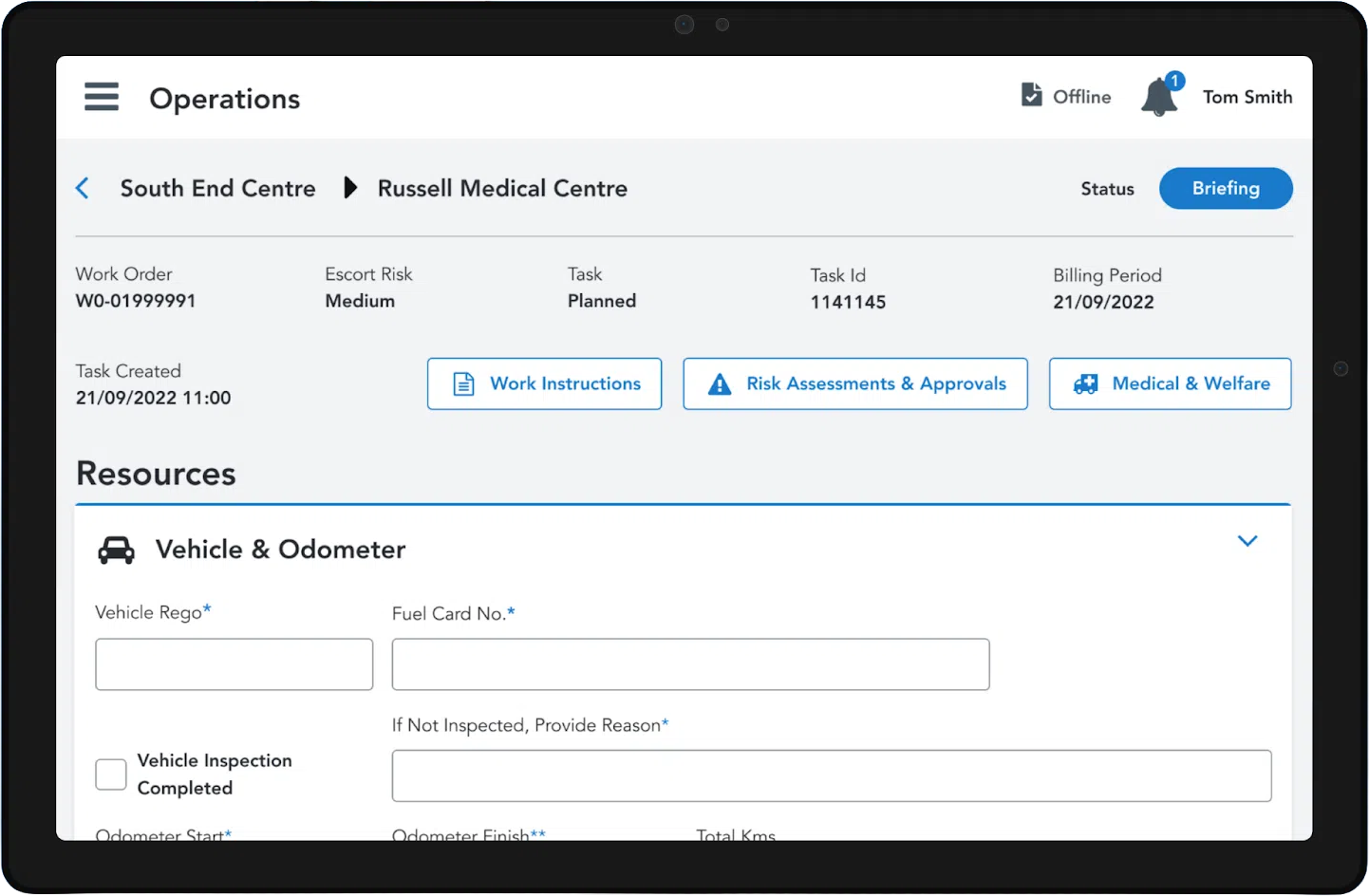
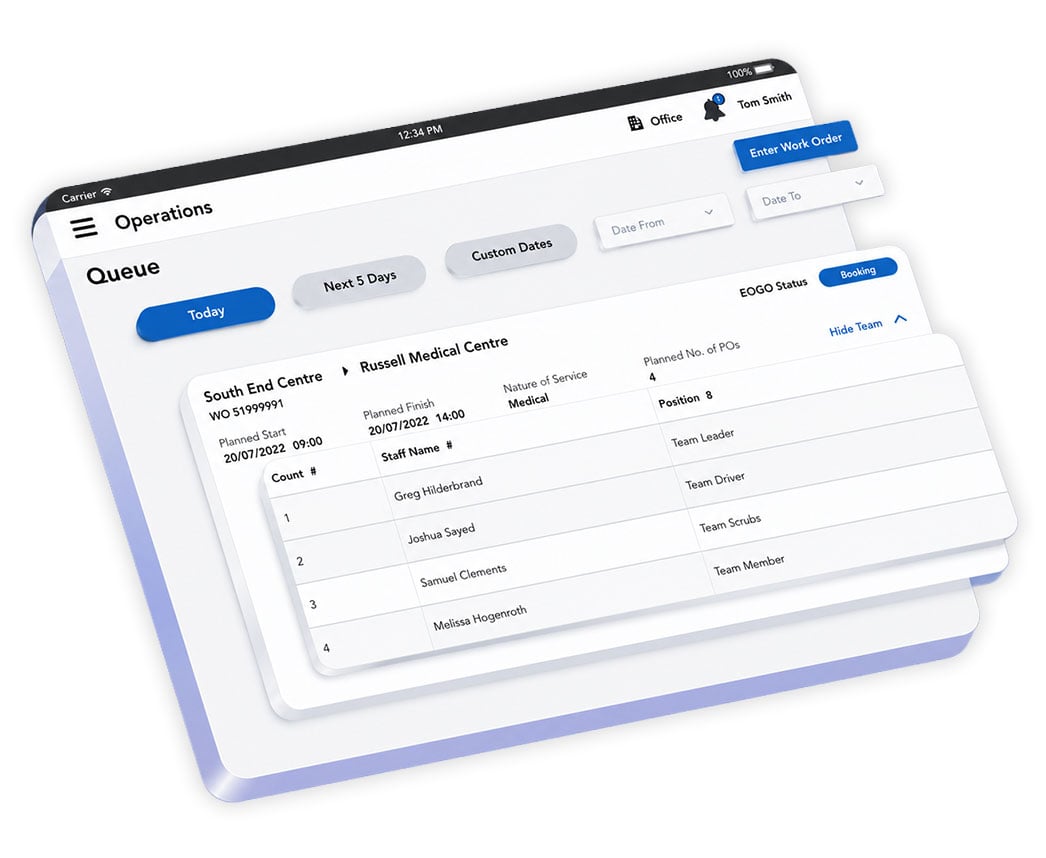
Delivers a best-in-class, intuitive interface that field officers can navigate with ease, making logging faster and less disruptive.
tick-circle

Information architecture built around real officer workflows, improving productivity and data accuracy.

tick-circle

Mandatory 15-minute observation checks are never missed, thanks to timely in-app notifications that keep officers compliant.

tick-circle

A Design System + Live Style Guide provides a foundation for consistent UX and branding across future solutions. 

Serco-screens-tablet-01
Serco-screens-tablet-02

UX activities

check-green
User Interviews
check-green

Jobs to be Done

check-green

Requirements Gathering

check-green

User Flow

check-green

Wireframing

check-green

Design System and High-Fidelity Design

Need a user-friendly digital solution for non-digital natives?

Our team is here to help. Complete the form below and we’ll be in touch shortly.